Queue Status
The Queue Status Module is a valuable feature within our product that provides users with real-time insights into the number of documents queued up in each stage of the document processing workflow. This comprehensive documentation offers step-by-step guidance on how to utilize the Queue Status Module effectively.
Key Features of the Queue Status Module
The Queue Status Module encompasses the following key features:
Document Progress Tracking: Users can easily track the progress of documents as they move through different stages before processing.
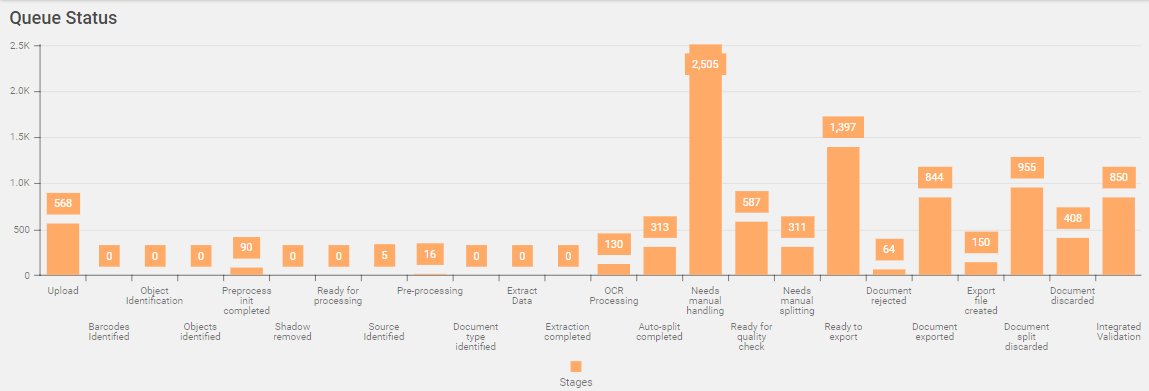
Stage-Specific Queue Status: The module displays the number of documents queued up in each stage of the processing workflow.
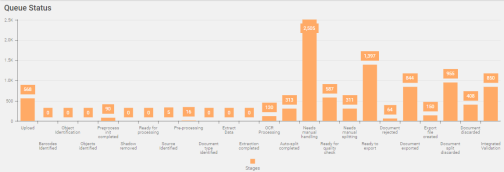
Visual Representation: Queue status for each stage is visually represented in bar format, providing a clear and intuitive view of document distribution.
Viewing Queue Status
To view the Queue Status page, follow these steps:
-
In the main menu, under Document Monitoring, click Queue Status. The Queue Status page opens.
Note:
The queue count of any given stage is displayed on the top of the respective status bar. The number reflects the real-time status of the number of documents in the respective queue.
For details about each stage, refer process stages.